How to create a UGC video with Zellos Studio, step by step
From brand kit to a postable creator-style video in minutes. Here’s the exact flow, plus tips for making UGC that looks native in the feed.
By Zellos AI7 min read

UGC, short for user-generated content, is the casual, creator-style video you see in social feeds: someone holding a product, talking to the camera, showing it in a real setting. It works because it feels real. The problem for most businesses is that finding creators, briefing them and waiting for footage takes time.
Zellos Studio lets you make creator-style UGC videos yourself. This guide walks through the whole process, from your first setup to a video that’s ready to post.
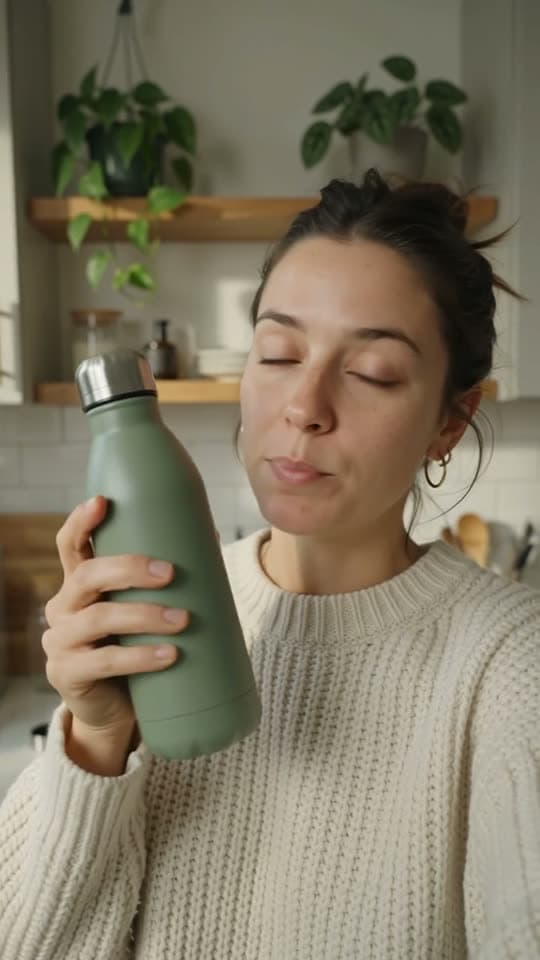
Creator demos
A creator shows your product in a real space, in their own words.
Before you start: what you need
- A Zellos Studio account. The one-time $2.99 Trial includes 300 credits and 7 days of full access, which is plenty for your first videos.
- Basic details about your brand: your colours, tone of voice and anything you never want said or shown.
- A product or offer to feature, and a rough idea of who you want to reach.
Step 1: Set up your brand kit
Your brand kit is how Zellos Studio learns what your business looks and sounds like. Add your colours, typography, tone, product facts and the rules you never want broken. You do this once, and every video you make afterwards follows it.
Spend a few extra minutes on the rules. A line such as “never use slang” or “always mention free delivery” saves you from fixing the same thing in every video.
Step 2: Choose, don’t prompt
Instead of writing a long prompt, you make five simple choices. Here’s what each one means and how to think about it.
- Goal: what should the video achieve, for example introduce a new product or drive sales for an offer?
- Audience: who is it for, for example busy parents or students on a budget?
- Mood: how should it feel, for example warm, playful or bold?
- Format: choose a vertical video made for TikTok, Instagram Reels or YouTube Shorts.
- Offer: what are you promoting, such as a launch, a discount or a bundle?
Step 3: Pick your length and check the cost
Zellos Studio focuses on short-form video. Generations are priced by clip length and resolution. At 480p to 720p, a 5-second video costs from 65 credits and a 10-second video from 130 credits. Higher resolutions, from 1080p up, cost more.
You always see the exact credit cost before you generate, and failed renders are refunded, so you can decide with the price in front of you.
Step 4: Generate and review
Once you generate, Zellos Studio drafts the video using your brand kit and your choices. Watch it the way a viewer would, and pay special attention to the first couple of seconds, because that’s where people decide to keep watching.
Step 5: Refine it
Rarely is the first version perfect, and you don’t have to start again. You can:
- Regenerate a single shot that isn’t working.
- Adjust the pacing so the hook lands sooner.
- Revise the caption so it sounds like your brand.
- Ask for changes in chat, such as a warmer mood or a different setting.
Step 6: Export and post
When you’re happy, export the video and post it to TikTok, Instagram Reels or YouTube Shorts. Check any specific claims first, like prices, dates and product details, so everything you publish is accurate.
Step 7: Make variations and test
Here’s where AI UGC really pays off. Change the audience, mood or offer and generate another version. Posting two or three variations of the same idea lets you see what your audience responds to, without booking another shoot.
Common mistakes to avoid
- Cramming in too many offers. One clear message beats five.
- Going too polished. Casual and warm usually feels more native in the feed than slick and loud.
- Ignoring the first seconds. If the hook is weak, regenerate that shot before you do anything else.
- Using someone’s likeness without permission. Zellos Studio doesn’t allow morphing, swapping or imitating a real person’s face or likeness without their clear permission, and you shouldn’t try.
Ready to make your first one?
You can go from a brand kit to a postable UGC video in a single sitting. Start with the Trial, make a few short videos around one product, and compare how they perform.
Frequently asked questions
How long does it take to make a UGC video with Zellos Studio?
Once your brand kit is set up, you can go from idea to a postable video in minutes, including a round of refinements.
Do I need any editing or video skills?
No. You choose a goal, audience, mood, format and offer, and adjust shots, pacing and captions without a timeline editor.
How many credits does a UGC video cost?
At 480p to 720p, a 5-second video starts at 65 credits and a 10-second video at 130 credits. The exact cost is shown before you generate, and failed renders are refunded.
Can I use a real person in my video?
Only with their clear permission. Morphing, swapping or imitating anyone’s face or likeness without approval isn’t allowed on Zellos Studio.
Can I use the videos as ads?
Yes. Zellos Studio creates UGC videos in vertical formats designed for both paid ads and organic posts on TikTok, Instagram Reels and YouTube Shorts.